
Tagging people in your LinkedIn posts via scheduling tools has been an issue for a long time.
Many people avoided scheduling tools, often posting at the wrong time of day.
Or they would have to set a timer just to make sure they could edit and tag people manually at the right time.
That's over now.
We're announcing a major breakthrough. As one of the first social media management platforms we've found a way to make tagging almost everybody (except Bill Gates) on LinkedIn possible.
This doesn't only fix the above problems, it also makes it much easier to schedule posts about events, co-workers, clients and partners.
How tagging LinkedIn profiles via Willow works
Option 1: The profile is connected to your Willow account
To tag a person who is connected to your Willow account, you can type @ and a few letters, then select "tag connected profile". A list of all connected accounts will appear. Simply select the page or person that you wish to tag.
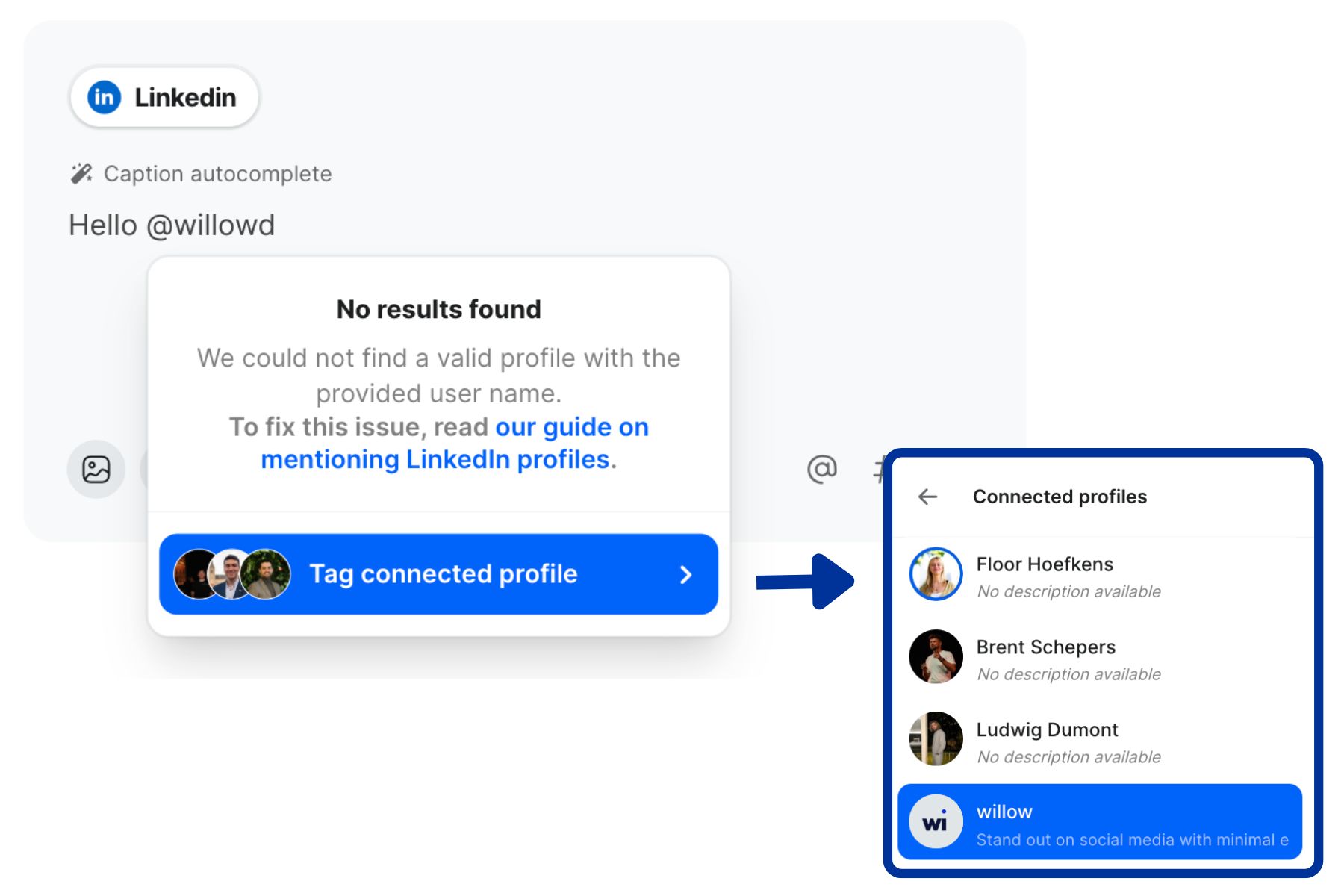
Option 2: The page or profile is not connected to your Willow account
If the person or page isn't connected to your Willow account, you will need to find their LinkedIn url. To tag Ludwig Dumont, for example, you'll need the "ludwigdumont" in "www.linkedin.com/in/ludwigdumont".
Mind that not everyone's url is just first name + last name. You'll find a lot of users with links such as "www.linkedin.com/in/danté-boute-832b37293/". In this case you need to write "@danté-boute-832b37293"
Find more details on our LinkedIn tagging support page.


Keep in mind best practices for tagging people
Relevant mentions keep your post sharp, so focus on people who genuinely belong in the story. A small number of tags usually works best because it keeps the message clean. When you weave the tag into the sentence instead of placing it at the end, the post reads more naturally and feels more thoughtful.
It also helps to think about how the person will feel about being tagged. If you tag multiple people who don't engage with your post, it could be perceived as spam.